 Beta
BetaCodaKeys
A DAW with Claude in the room.
A native Mac studio where your tracks, your sounds, and Claude Code share one workspace. Highlight a passage, describe what you hear, and turn the next idea into editable music.
Built by Elliot, who makes the paintings and music on this site.
Request beta access ↗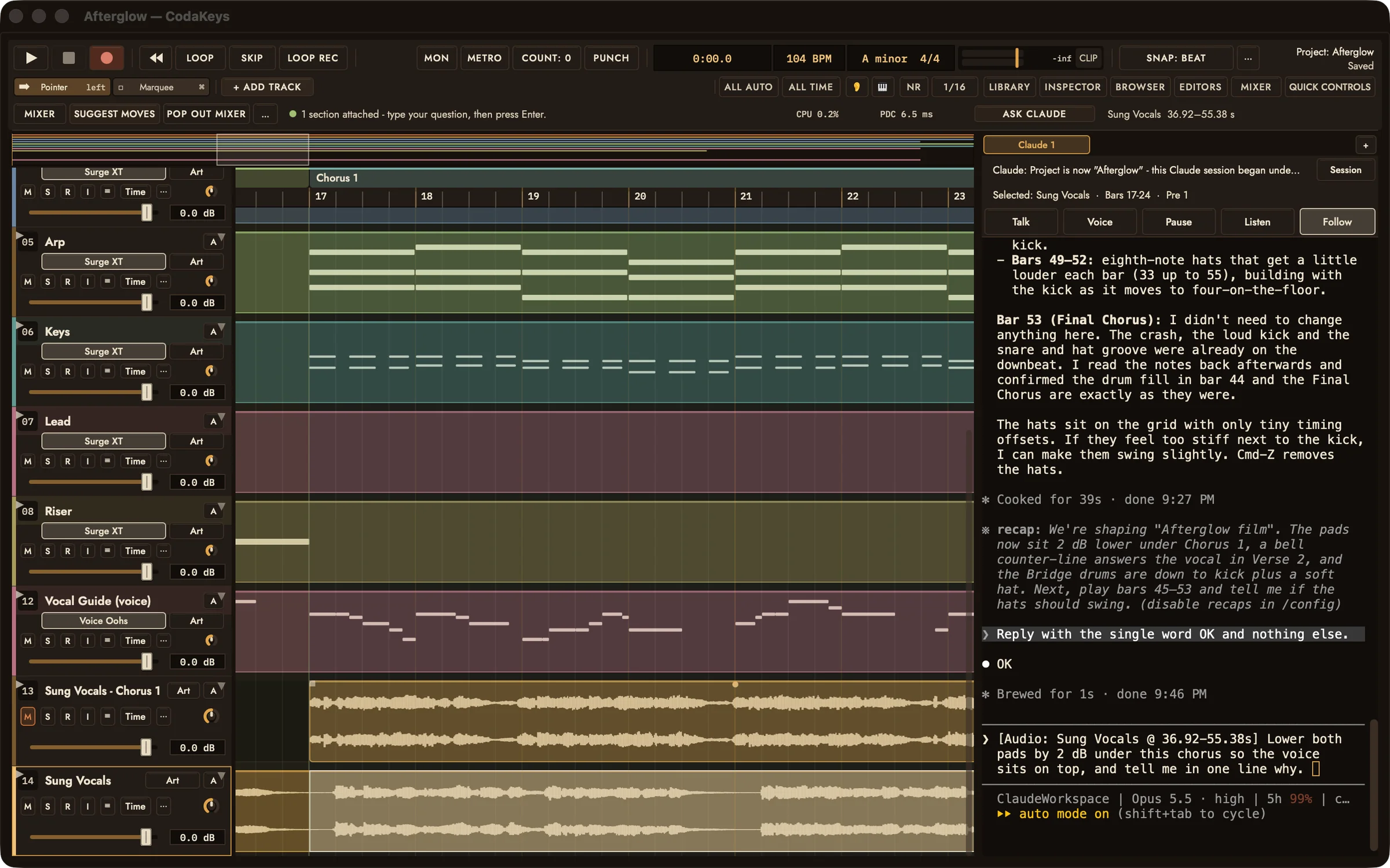
01
Point to the part. Ask in your words.
Highlight the bars you want to work on and press Ask Claude. The track and passage go with your request, so “this chorus” has a place in the song.
02
A voice becomes a track.
Generate a sung take with your own ElevenLabs account. It lands as an audio clip you can audition, mute, move, and mix.
03
Keep your hands on the mix.
Work the faders yourself or ask Claude to help with levels, effects, and instruments. Your MIDI, audio, and AU/VST3 plug-ins stay yours to shape.
Free while in beta · macOS 12 or later · Apple silicon · Claude Code signed in to your Claude account
Visit codakeys.com ↗